
In a world where attention spans are shorter than a 6-second video loop, static posters just don’t cut it anymore. Whether you are running a bustling quick-service restaurant, managing a multi-campus college canteen, or styling clients in a chic salon, dynamic screens are the ultimate way to boost engagement.
But behind every vibrant digital menu board or promotional screen is a powerful engine: Digital Signage Software.
With hundreds of options flooding the market, picking the right one can feel like trying to choose a streaming service when you just want to watch one specific show. To save you the headache, here is a foolproof guide on how to choose the best digital signage software for your unique business needs.
1. Look for Cloud-Based Remote Management
If you have to physically plug a USB drive into a TV every time you change a price, you aren’t running digital signage—you’re doing tech chores.
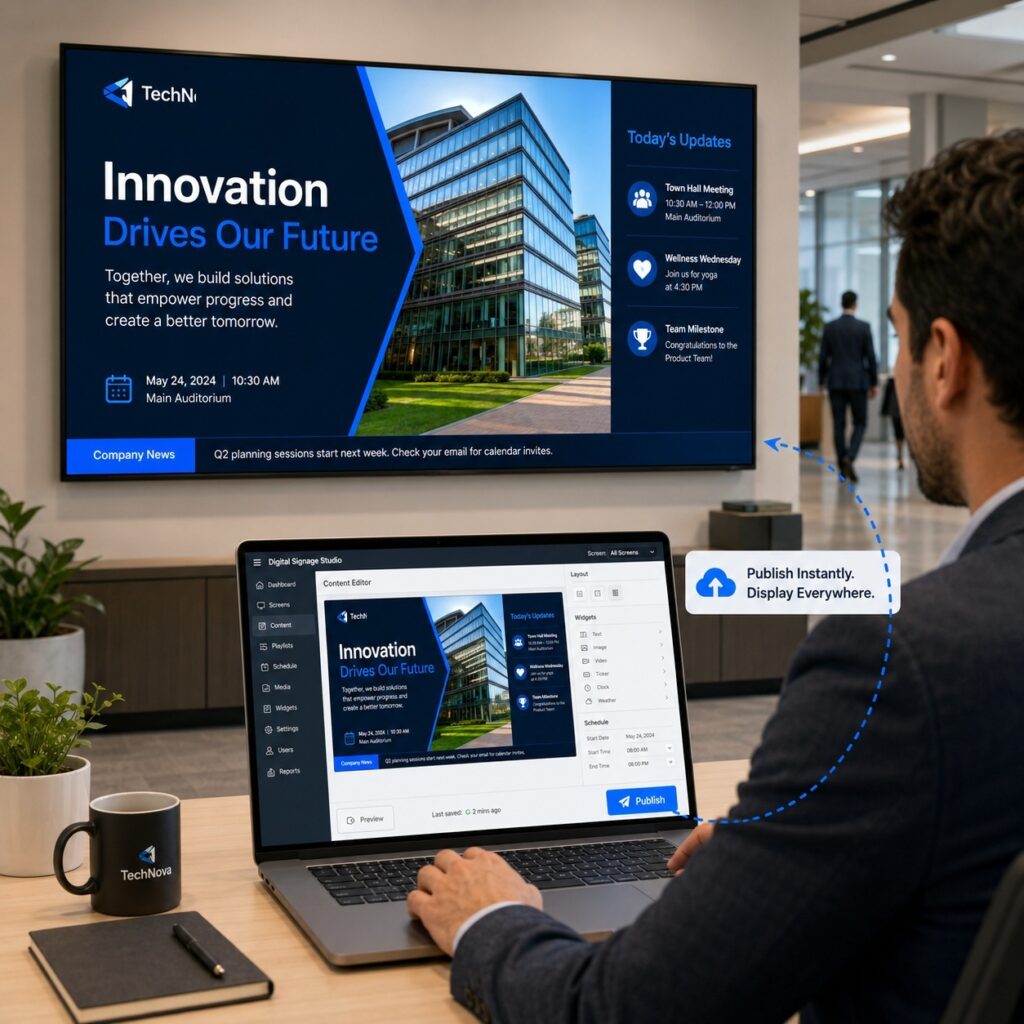
The best digital signage software is cloud-based. This allows an administrator to upload, edit, and push content instantly from a laptop while sitting at their office desk. Look for platforms that offer:
- Real-time updates: To change a sold-out menu item in seconds.
- Smart scheduling: To automatically switch from breakfast to lunch menus.
2. Prioritize User-Friendly Interface (UI)
You shouldn’t need a degree in computer science to update a daily special. The ideal platform should feature an intuitive, drag-and-drop content management system (CMS). Ask yourself:
- Can a manager learn the basics in under 15 minutes?
- Does it feature built-in design templates or integrate with tools like Canva?
3. Check Hardware Compatibility
Before you buy software, look at your hardware. Some software only works on proprietary media players, while others are “hardware agnostic” and work seamlessly across Android, Windows, Amazon Fire Sticks, or smart TVs (LG, Samsung, Sony).
SEO Tip: Choosing a software that supports your existing screens will save you thousands in upfront hardware costs.
4. Think About Multi-Screen Scalability
Are you managing a single screen in a local bakery, or dozens of digital menu boards across multiple franchise locations? Your software needs to grow with you.
- Single-screen users need affordable, straightforward plans.
- Multi-location businesses need robust enterprise features, such as multi-user permissions (so a local manager can change prices, but the corporate office controls the branding).
5. Demand Offline Playback & Reliability
What happens if the venue’s Wi-Fi drops? If the software requires a constant internet connection, your screen will display a frustrating “Error 404” or a blank screen right in front of customers. Look for software with caching capabilities, meaning it downloads the content locally and keeps playing smoothly even if the internet goes offline.
The Final Verdict
Don’t get blinded by flashy features you’ll never use. The right digital signage software should be remote, reliable, scalable, and simple.
Ready to transform your business screens into high-converting sales tools? Start by mapping out your hardware, testing a few free trials, and ensuring the platform you choose can push content with a single click.
Watch: Cloud Based Ampacto Digital Signage Software that fits all the requirements.